Student Computer Labs & Printing
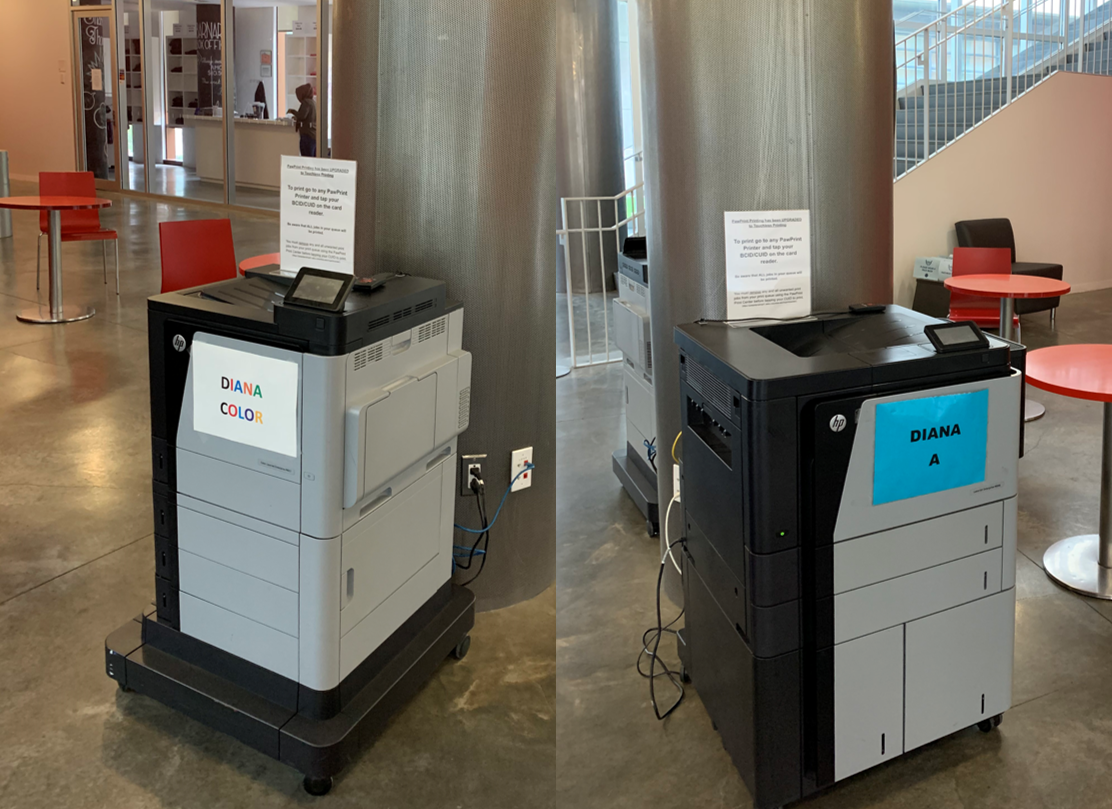
The Barnard Student Computer Labs and Paw Print Printers are available only to current Barnard and Columbia undergraduate students and faculty. Barnard College uses the Paw Print Printing System provided by Columbia University, so all students can print to any printer on both campuses.
BCIT Student Computing is located in 11 Milbank Hall (lower level)
Student Computing is available to Barnard Students for technical support in the office or remotely by appointment only.
Monday - Friday 9am-5pm
Please stop by our office for assistance or contact us by at help@barnard.edu or 212-854-7172.
The Diana Center Paw Print Printers
These printers are available whenever the Diana Center is open.
- 1 B&W PawPrint Printer - Diana 1st Floor, lobby area
- 1 Color PawPrint Printer - Diana 1st Floor, lobby area
- 1 B&W PawPrint Printer - Diana 2nd Floor, open area outside of cafeteria
Plimpton Computer Lab - Open 24 hours
Plimpton Residence Hall is located at 120th St. and Amsterdam Ave. Printing is available for use by all Barnard students with 24 hour access.
- 3 Dell PCs
- 1 Macs
- 1 B&W PawPrint printer available in the Plimpton Lobby
616 Computer Lab - Open 24 hours
Located on the first floor of 616 Residence Hall at 616 W. 116th St., the 616 lab is available for use by all Barnard students with 24 hour access.
- 5 Dell PCs
- 1 Macs
- 2 B&W PawPrint printers
Elliott Printer - Available 24 hours
Located on the first floor of Elliott Residence Hall at Claremont St., the Elliott Paw Print Printer is available for use by all Barnard students with 24 hour access.
-
1 B&W PawPrint Printer in the Lobby
COMING SOON (Summer 2024) - Quad Printers - Available 24 hours
Located on the first floor of Sulzberger Residence Hall in the Lobby, the Quad Paw Print Printers are available for use by all Barnard students with 24 hour access.
-
2 B&W PawPrint Printers in the Lobby
Apporto (Virtual Computer Lab) - Open 24 hours
barnard.apporto.com is a virtual instance of our physical computer labs and provides the same licensed academic software as our open access labs listed here. Further information about our Virtual Lab platform and how to login can be found in our Knowledge Base article.
Paw Print Printing Services & Quota
If you find that a printer in any lab is out of paper or toner, has a paper jam, or any other issues, please notify the Student Computing Office at (212) 854-7172 or email help@barnard.edu.
-
PawPrint Printing is provided to Barnard College by Columbia University. This printing service allows all Barnard and Columbia students to print anywhere on both campuses to a PawPrint Printer by swiping their ID Card on the sentry device attached to the printer.
-
All students receive a free printing quota of $150 per semester. For more detailed information, go here.
-
If you need assistance installing printing drivers, you can email help@barnard.edu or download the drivers here.
Computer Lab Maintenance Hours
From 4am to 5am every Sunday each week, the computers in all on-campus labs are unavailable so that they can be updated. During lab maintenance hours, student data on the D: drive will be deleted.